> For the complete documentation index, see [llms.txt](https://ostium-labs.gitbook.io/ostium-docs/llms.txt). Markdown versions of documentation pages are available by appending `.md` to page URLs; this page is available as [Markdown](https://ostium-labs.gitbook.io/ostium-docs/vault/withdraw.md).
# Withdraw
Withdrawing USDC requires LPs to submit a request and wait for the next daily settlement. Withdrawals process within 24–48 hours and are cancelable before processing.
{% hint style="warning" %}
These docs are deprecated and may be outdated. Please use the new docs: [docs.ostium.com](https://docs.ostium.com/)
{% endhint %}
Before receiving USDC, LPs must submit a withdrawal request. This initiates a two-settlement window (24–48 hours) designed to give the protocol advance notice of capital leaving the vault, preventing last-second withdrawal exploits ahead of large trader PnL events.
While the request is pending, OLP moves into the vault. The withdrawal processes at the settlement after the next one — always a fixed 24–48 hour window, **regardless of collateralization ratio**. Withdrawals are cancelable at any time before they are processed.
## Withdraw Request
Deposits can request a withdrawal at any time. Withdrawals always process at the settlement after the next one — a fixed 24–48 hour window. The collateralization ratio no longer affects withdrawal timing.
{% hint style="danger" %}
After your withdrawal processes at settlement, you must click Redeem to move USDC to your wallet. You must redeem before taking any further action (e.g., you cannot request another withdrawal while a redeem is pending).
{% endhint %}
If interfacing directly with the user interface rather than smart contracts directly, depositors can visit the vault page. If they click "deposit," they will see the below modal:
## Withdrawing
After a withdrawal request has been made, it will appear under the 'Withdraw Requests' tab. You will see the time the request was created and the estimated settlement time at which your USDC will be available to redeem. The button on the bottom part of the "Withdraw Requests" tab will become clickable when the required cooling-off period has elapsed. Clicking will initiate a request in a user's wallet to sign a transaction to redeem OLP for USDC.
{% hint style="info" %}
Once your withdrawal processes at settlement, USDC will appear as 'pending redeem' with no deadline. However, you must redeem before requesting another withdrawal.
{% endhint %}
Users who wish to withdraw a specific amount of OLP—instead of their entire request—can do so.
#### Example Flow:
LP1 holds OLP and submits a withdrawal request for a portion of their OLP at any time. Their OLP moves into the vault and processes at the settlement after the next one (within 24–48 hours). After settlement, USDC appears as 'pending redeem'. LP1 clicks Redeem to receive their USDC. If LP1 wants to withdraw the remainder of their OLP, they must redeem the prior request's USDC first.
## Unlocking (Grandfathered Users Only)
{% hint style="warning" %}
The locking feature with deposit discounts has been deprecated. This section applies only to users who locked deposits before the feature was removed.
{% endhint %}
Users who locked their OLP tokens received an NFT representing their locked OLP allocation (deposit + bonus). The OLP tokens are stored in the vault until unlocked by the depositor. Once the locking period has elapsed, the depositor can burn their NFT to receive their OLP including the bonus. **Locked deposits must first be unlocked before they can be withdrawn**.
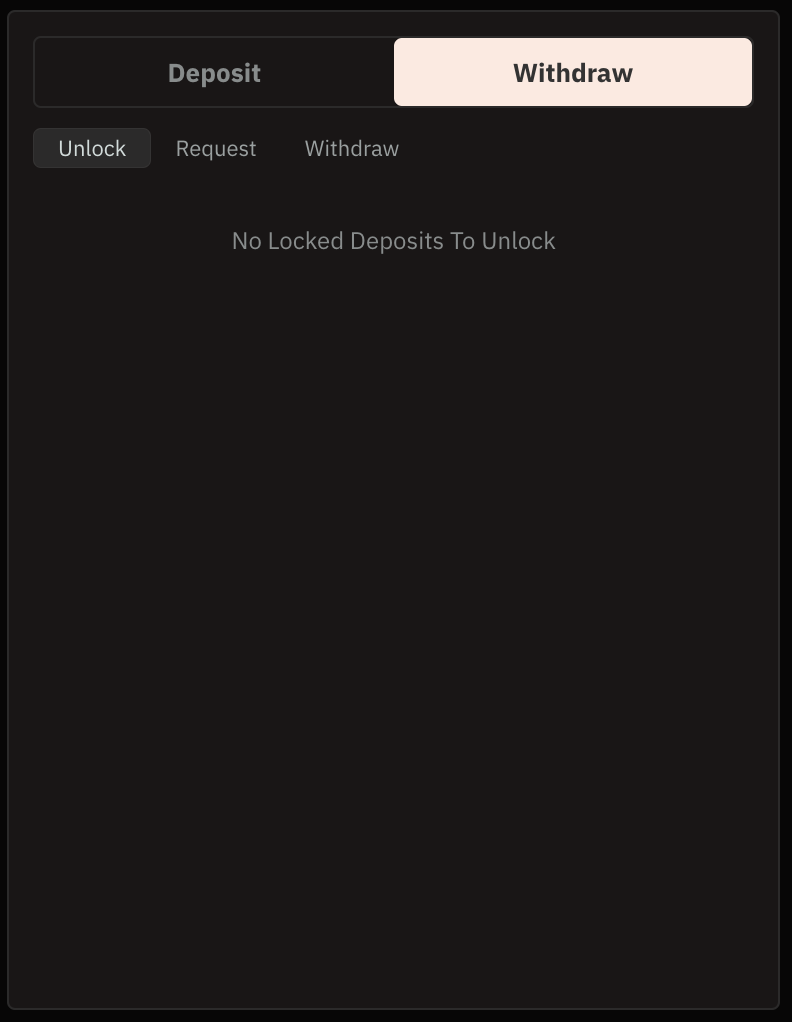
Depositors can do so through interactions with the smart contracts directly or via the existing user interface by navigating to the "Withdraw>Unlock" tab within the vault page. If the locked deposit is ready to be unlocked, an "unlock" button can be clicked, which triggers an approval request in a user's wallet. Once initiated, funds are immediately unlocked.
Unlock modal when deposits are not available to unlock